Managing contacts
Add, edit, view, and organize your contacts in Sendra.
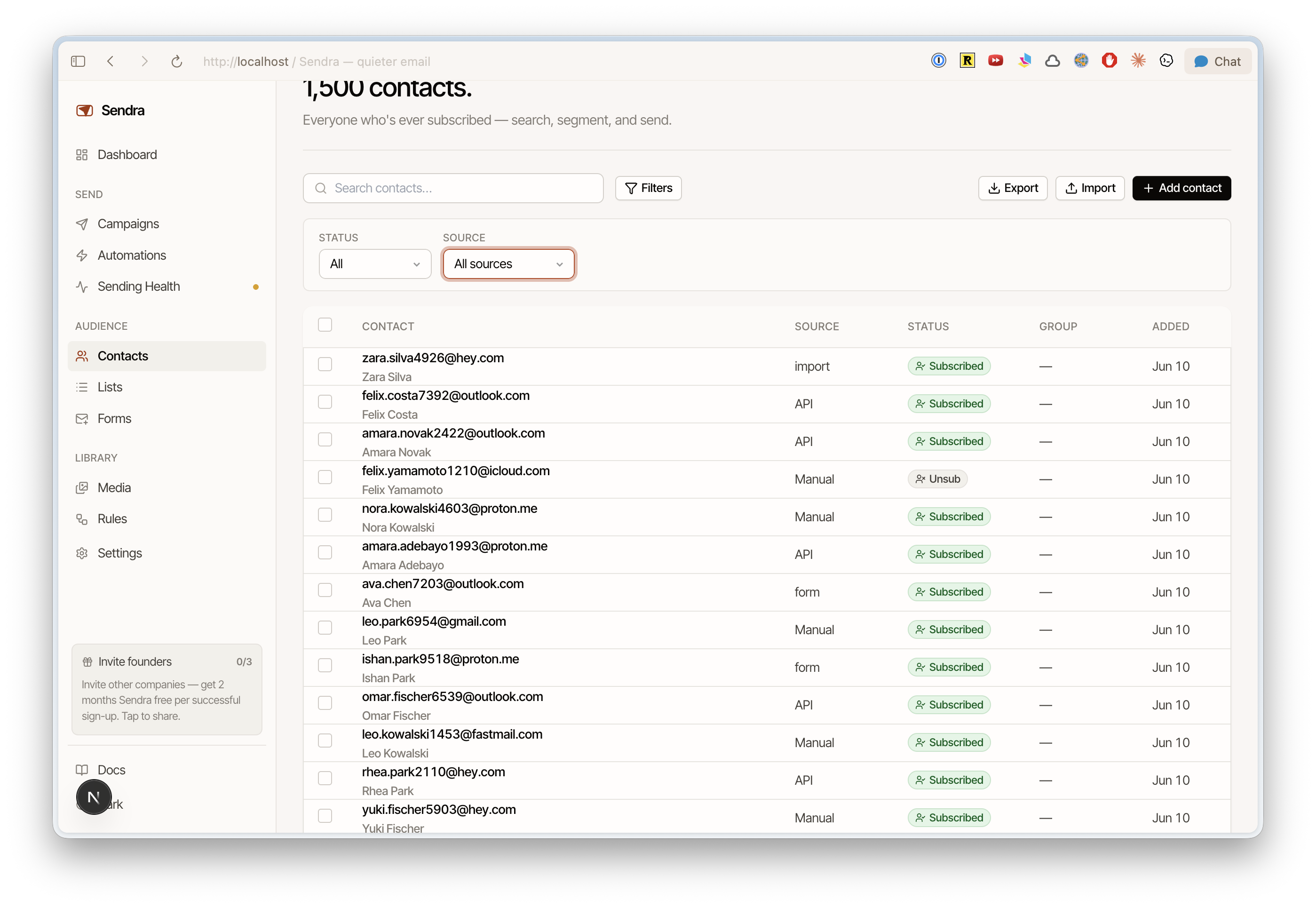
Contacts are the people you send email to. The Contacts page shows your full audience with search, filtering, and bulk actions.
Viewing contacts
The contacts list shows each contact's email, name, tags, list memberships, and status. Click any contact to see their full profile, including:
- Properties — all stored fields (built-in and custom)
- Activity timeline — every event associated with this contact: emails received, opens, clicks, form submissions, bounces
- List memberships — which lists they belong to
- Tags — labels applied to this contact
Adding a contact
Click Add Contact and enter at least an email address. You can also set:
- First name and last name
- Custom properties
- List memberships
- Tags
Editing a contact
Click into a contact's profile to edit any field. Changes save automatically.
Deleting contacts
Delete a contact from their profile page or use bulk actions to remove multiple contacts. Deletion is permanent — the contact and all their event history are removed.
Deleting a contact doesn't add them to the blocklist. If they could be re-added through a form or API call, add them to the blocklist instead.
Bulk actions
Select multiple contacts from the list to perform bulk operations:
- Add to list — add selected contacts to a list
- Remove from list — remove from a list
- Add tag — apply a tag
- Delete — permanently remove
- Unsubscribe — mark as unsubscribed