Creating rules
Set up event-driven rules to automate your email marketing workflows.
Creating a rule
- Go to Rules → New Rule
- Give it a descriptive name (e.g., "Tag contacts who click")
- Configure the trigger, conditions, and actions
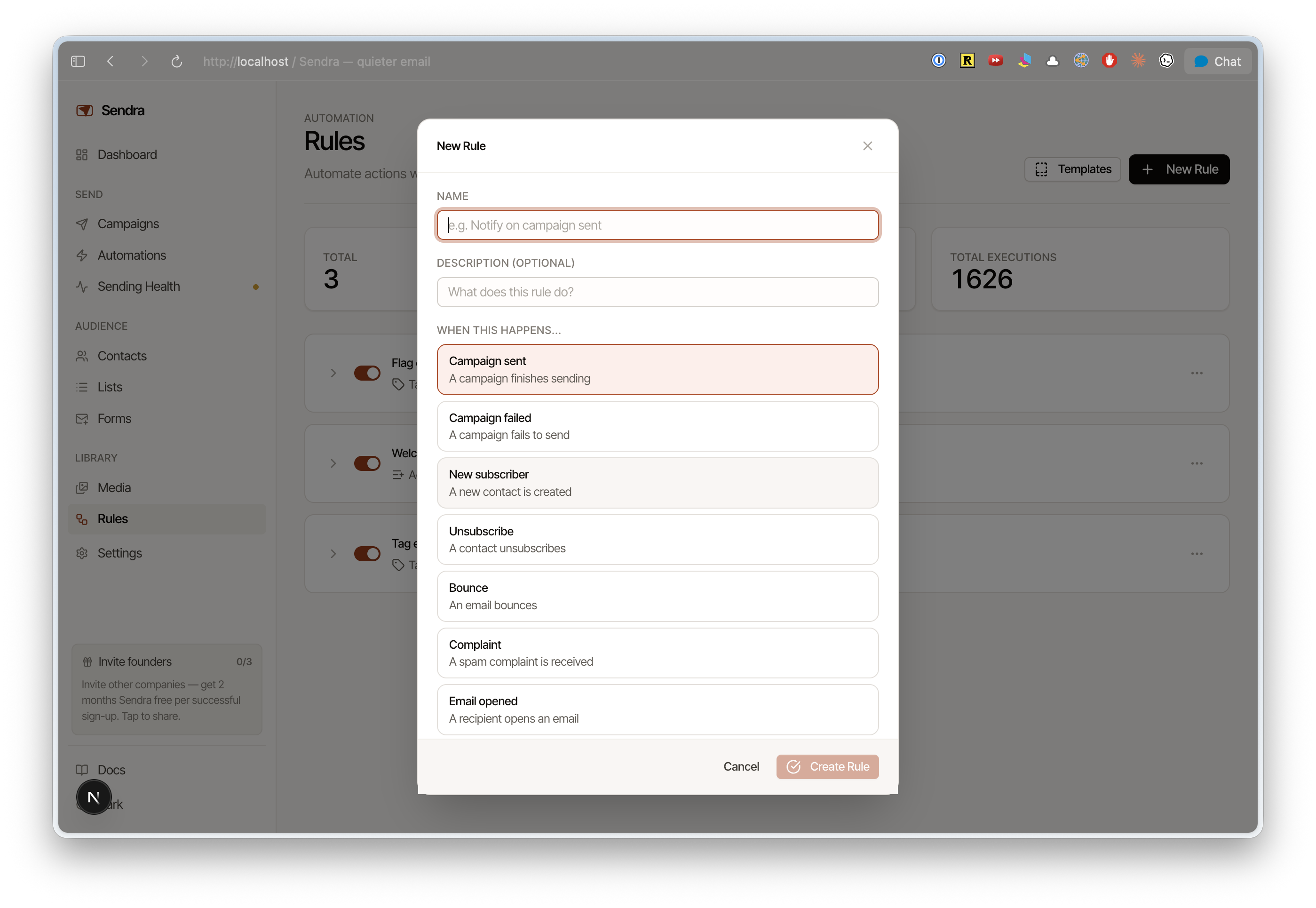
Triggers
Choose what event starts the rule:
| Trigger | Fires when |
|---|---|
| Email opened | A contact opens any campaign |
| Link clicked | A contact clicks a link in any campaign |
| Email bounced | A send bounces |
| Complaint received | A contact marks your email as spam |
| Form submitted | A contact submits a signup form |
| Contact created | A new contact is added |
| Contact updated | A contact's properties change |
| Custom event | A custom event is received via the API |
Conditions
Narrow when the rule fires with optional conditions:
- Contact property —
plan equals "enterprise",company contains "Corp" - Tag —
has tag "vip",does not have tag "churned" - List membership —
is member of "Newsletter"
Multiple conditions can be combined with AND logic.
Actions
What happens when the rule fires:
| Action | What it does |
|---|---|
| Add tag | Applies a tag to the contact |
| Remove tag | Removes a tag from the contact |
| Add to list | Adds the contact to a list |
| Remove from list | Removes the contact from a list |
| Update property | Sets a contact property to a value |
Enabling and disabling
Rules can be toggled on or off. Disabled rules are saved but don't execute.