Sending health
A single page that tells you whether you're ready to send — and exactly what to fix if you're not.
Sending Health is your pre-flight check. Open it from Sending in the sidebar to see, at a glance, whether your workspace can deliver email and what (if anything) is standing in the way.
It pulls together the three things that have to be true before a campaign goes out: a connected and verified Amazon SES account, at least one authenticated sending domain, and enough daily quota to cover your send.
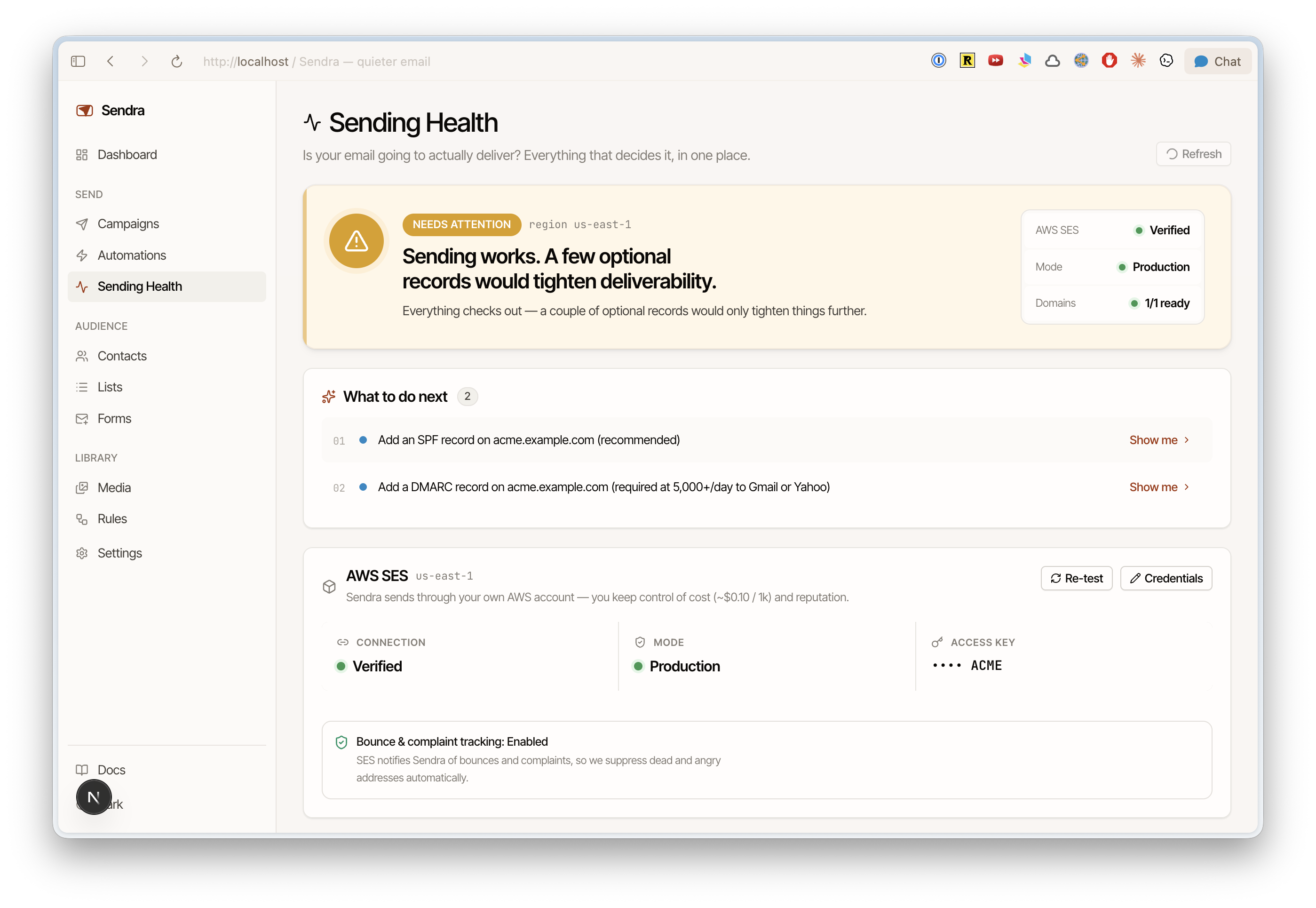
The status banner
A single rollup tells you where you stand:
| Status | Meaning |
|---|---|
| Healthy | SES is verified and in production, every domain is authenticated, and your quota has headroom. You're clear to send. |
| Needs attention | Sending still works, but something should be addressed — you're in the SES sandbox, missing an SPF/DMARC record, or approaching your daily quota. |
| Blocked | Sending will fail. SES isn't connected or verified, or you have no verified sending domain. |
Below the banner, What to do next lists each issue with a Show me or Fix shortcut that jumps you straight to the relevant section.
At a glance
Three tiles summarize readiness:
- Amazon SES — Not connected, Unverified, or Verified.
- Mode — Production or Sandbox. New SES accounts start in sandbox, capped at 200 emails/day to verified addresses only.
- Domains — how many of your sending domains are fully authenticated (
{ready}/{total}).
When live stats are loaded, a quota strip shows sends left today, your max send rate per second, and a progress bar.
Amazon SES
This section reflects your connection in real time:
- Connection — verified or not, plus the tail of the access key in use.
- Mode — production or sandbox. Sandbox shows a "Capped at 200/day" badge.
- Quota meter — sent today vs. your daily limit, and your max send rate. The meter turns amber at 70% and red at 90%; Sending Health flags a warning once you cross 80% of your daily quota and blocks at 100% until SES resets.
- Bounce & complaint tracking — whether Sendra's SES feedback hookup is in place (Sendra configures this for you).
Use Refresh to re-poll SES, or open the credentials editor to connect or re-test your account.
Sending Health checks your quota and setup live from SES, but it does not display your bounce or complaint rates — those live on your Dashboard and, authoritatively, in the AWS SES console. After a large send, the page links you straight to the SES reputation dashboard.
Moving out of the sandbox
If you're in the sandbox, Sending Health walks you through requesting production access without leaving the page: a short pre-flight checklist (DKIM, SPF & DMARC, a live website), a one-click link to the AWS request form, and a status tracker that advances as Amazon reviews — and a built-in assistant to help draft replies if AWS asks follow-up questions. Full walkthrough: SES sandbox & production access.
Domains
Each sending domain shows its authentication state:
- DKIM — required.
- SPF — recommended.
- DMARC — required once you send 5,000+/day to Gmail or Yahoo.
Pending domains include copy-paste DNS records and a DNS Help assistant. Sendra re-checks incomplete domains automatically every few seconds, so records flip to Ready shortly after your DNS propagates. See domain authentication.
When everything's green
Once the banner reads Healthy, Sending Health surfaces a Create a campaign shortcut — you're ready to send.